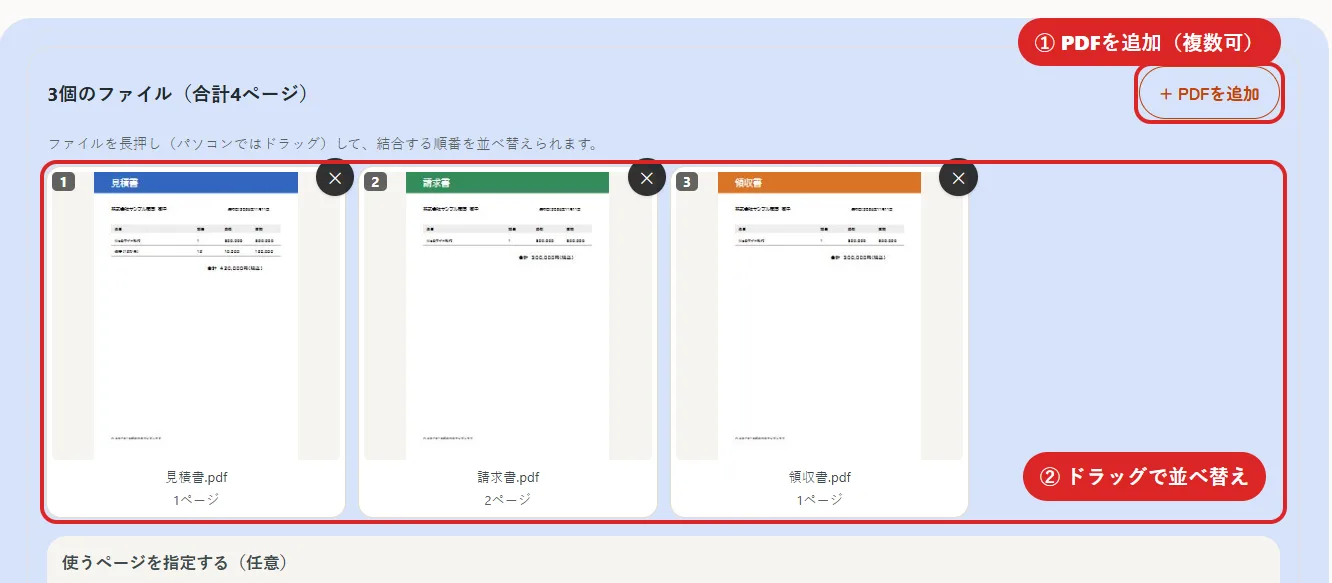
1. Add PDFs and set the order
Tap “Select PDF files” and choose two or more PDFs. To add more later, tap “+ Add PDFs”. Long-press (or drag on a computer) to change the order.
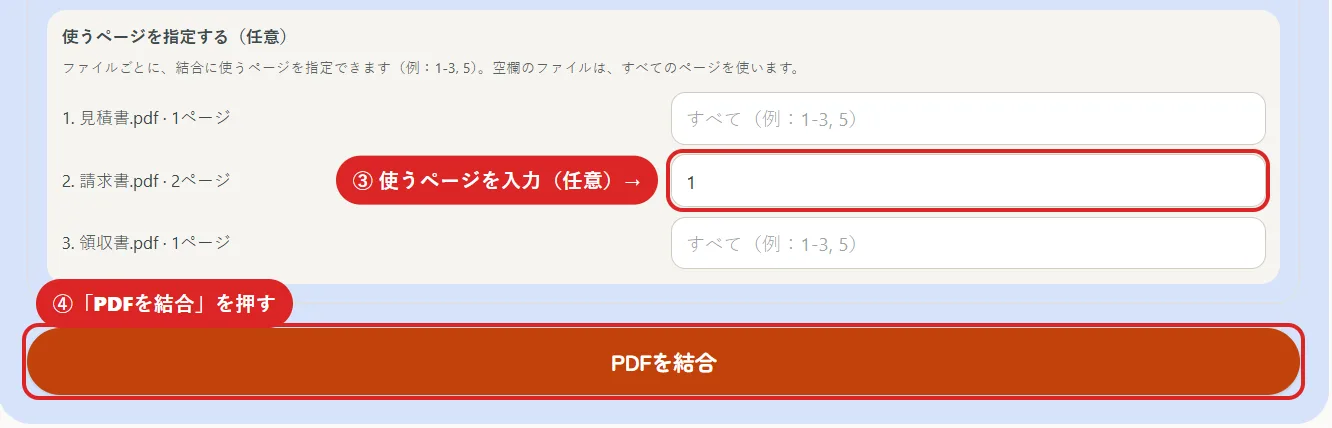
2. Choose pages, then merge
To use only some pages of a file, type them under “Choose pages to use”, such as 1 or 1-3, 5. Files left blank use every page. Then tap “Merge PDFs”.
3. Check the preview and save
When merging finishes, a preview of the new PDF appears. Check the page order and content, then tap “Download merged PDF”.