Skip to content
PDF Tools Japan

How to Type on a PDF for Free – Ways Compared, and Filling In Japanese Forms

A city office, school or company in Japan sends you a PDF form. Printing it, writing by hand and scanning it back takes time. Typing straight onto the PDF lets you fill it in and submit it from your computer or phone. This guide compares free ways to add text to a PDF and explains how to fill in Japanese forms with vertical fields and Japanese-era dates.

Use Add Text to PDFFree, no sign-up. Your files stay on your device.Screenshot: Add Text to PDF with a sample PDF loaded

First, check for form fields

Some PDFs already have fields you can type into. Open the PDF in Chrome, Edge or Acrobat Reader and click a blank field: if you can type, just fill it in and save.

If there are no fields, use one of the methods below to place text on top of the page.

The ways compared

Ways to type on a PDF
MethodWhat you needVertical textBest for
Acrobat Reader “Fill & Sign”Acrobat Reader (free, needs installing)NoFilling in horizontal fields on a computer
Edge, Mac Preview, iPhone MarkupBuilt-in browser or appsNoAdding a few short words
Our Add Text to PDF toolJust a browser (any device)YesVertical fields, Japanese-era dates, phones, forms with personal details

Method 1: Acrobat Reader “Fill & Sign”

The free Adobe Acrobat Reader can add text with its Fill & Sign tool. Open the PDF, choose Fill & Sign, select the add-text button and click where you want to type. You can change the text size.

It needs installing and writes horizontally only.

Method 2: Built-in tools on computers and phones

Windows (Microsoft Edge)

Open the PDF in Edge. The toolbar at the top has a button for adding text: select it, click where you want to type, and save.

Mac (Preview)

Open the PDF in Preview and choose Tools → Annotate → Text to add a text box. Move it into place and type.

iPhone (Files app)

Open the PDF in the Files app, tap Markup (the pen icon) → “+” → Text to add text.

These are quick, but horizontal only, and it can be hard to line up text precisely.

Method 3: Type in your browser (vertical text and Japanese dates)

Our Add Text to PDF tool works in the browser on Windows, Mac, iPhone and Android and supports vertical Japanese text. Your PDF is never uploaded to a server; it’s processed on your own device, so forms with your name, address or My Number stay private.

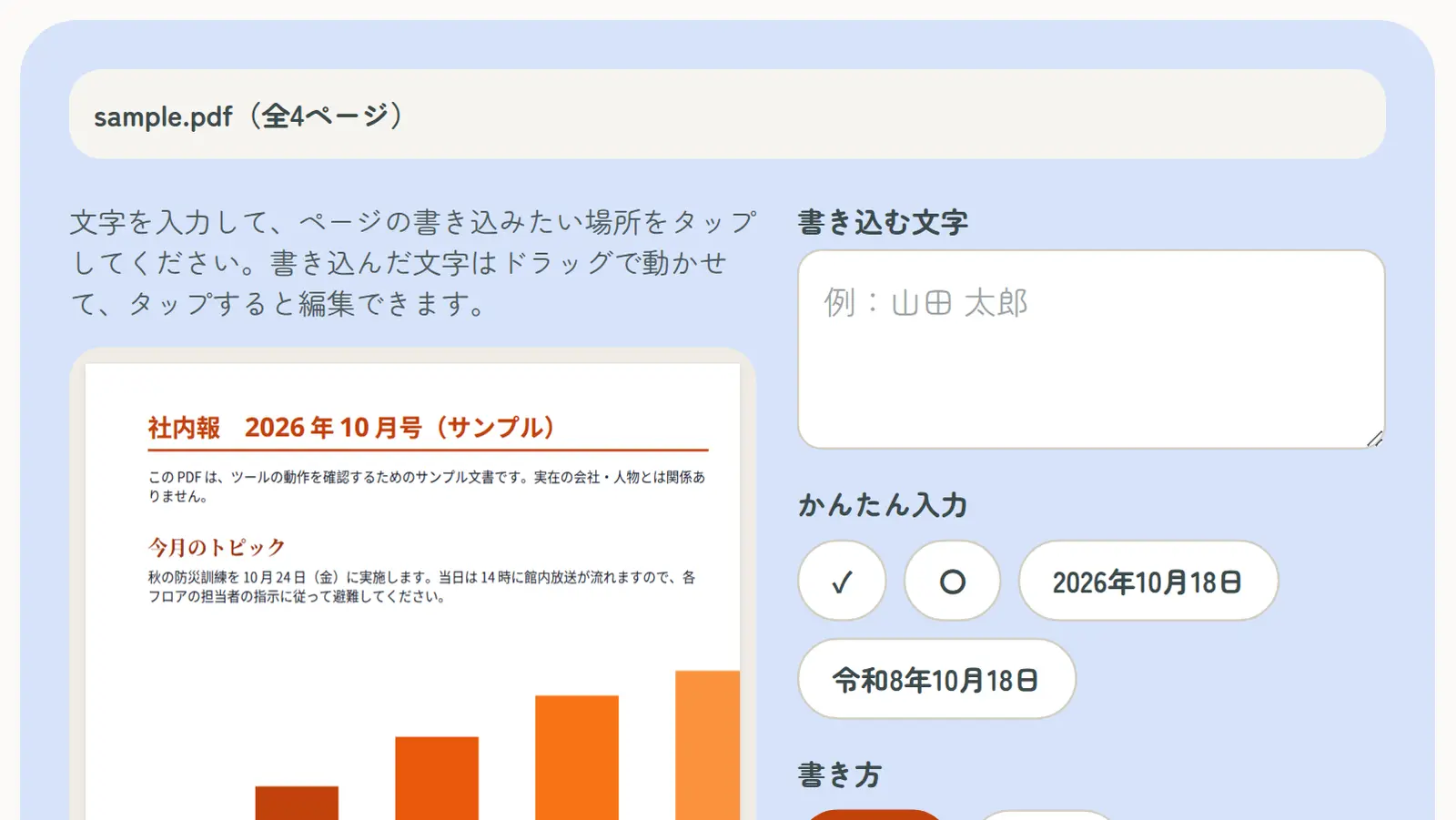
  1. On the Add Text to PDF page, select your PDF
  2. Type your text and choose horizontal or vertical, size, color and typeface
  3. Tap where you want to write (you can drag it into place afterwards)
  4. Tap “Create PDF with text”, check the preview, and download

Tips for filling in Japanese forms

Use vertical text for vertical fields

If the address or name field runs top to bottom, choose Vertical. Long-vowel marks (ー) and small kana are placed correctly for vertical writing.

Match the date style

Government forms often use the Japanese era: 2026 is 令和8年 (Reiwa 8). The Reiwa date button inserts today’s date in that format.

〇 for choices, ✓ for boxes

Where a form says 該当するものに〇 (circle what applies), place “〇” over your choice; tick checkboxes with “✓”.

Name and furigana

Write your name as it appears on your residence card or passport. Where there’s a フリガナ (furigana) field, write the reading of your name in katakana.

Size 10–12pt

For typical form fields, 10–12pt is easy to read. Go smaller for narrow fields.
Before you submit

Some forms have a box for a seal (印) or a handwritten signature (自署). You can stamp a hanko with Digital Hanko Stamp or add a handwritten signature with Sign PDF, but some forms require a signature written by hand, so check the instructions.

When you’re done, open the downloaded PDF again and check that nothing has shifted and every field is filled in.

If you need to change the original text

To change wording that’s already in the PDF, convert it with PDF to Word and edit it there, then turn it back into a PDF with Word to PDF.

Frequently asked questions

Q. Can I type on a PDF for free?

A. Yes. Acrobat Reader’s Fill & Sign, Edge, Mac Preview, iPhone Markup and our Add Text to PDF tool are all free.

Q. How do I write vertically on a PDF?

A. Acrobat Reader and built-in tools are horizontal only. For vertical Japanese fields, use Add Text to PDF.

Q. Can I fill in a PDF on my phone?

A. Yes. On iPhone, use Markup in the Files app, or open Add Text to PDF in Safari or Chrome on iPhone or Android. No app is needed.

Q. Can I edit the original text of a PDF?

A. Not with a text tool. Convert it with PDF to Word and edit it there.

Q. How do I add a hanko after filling in a form?

A. Use Digital Hanko Stamp after adding your text. Some forms require a handwritten signature, so check the instructions.

Q. Is it safe to type personal details?

A. With our Add Text to PDF tool, neither your PDF nor your text is sent to a server; everything is processed on your device.