Skip to content
PDF Tools Japan

Can’t Attach a PDF on Myna Portal? Size Limits, File Types and Fixes

By

Use Compress PDF for Online ApplicationsFree, no sign-up. Your files stay on your device.

If Myna Portal won’t accept your attachment, check the total file size, the file type and whether the file has a password, then fix it and attach it again. The size limit depends on which application system you’re using, so check the on-screen instructions first. This guide covers the conditions in Myna Portal’s official FAQ and manual (as of November 21, 2026) and how to fix the most common problems.

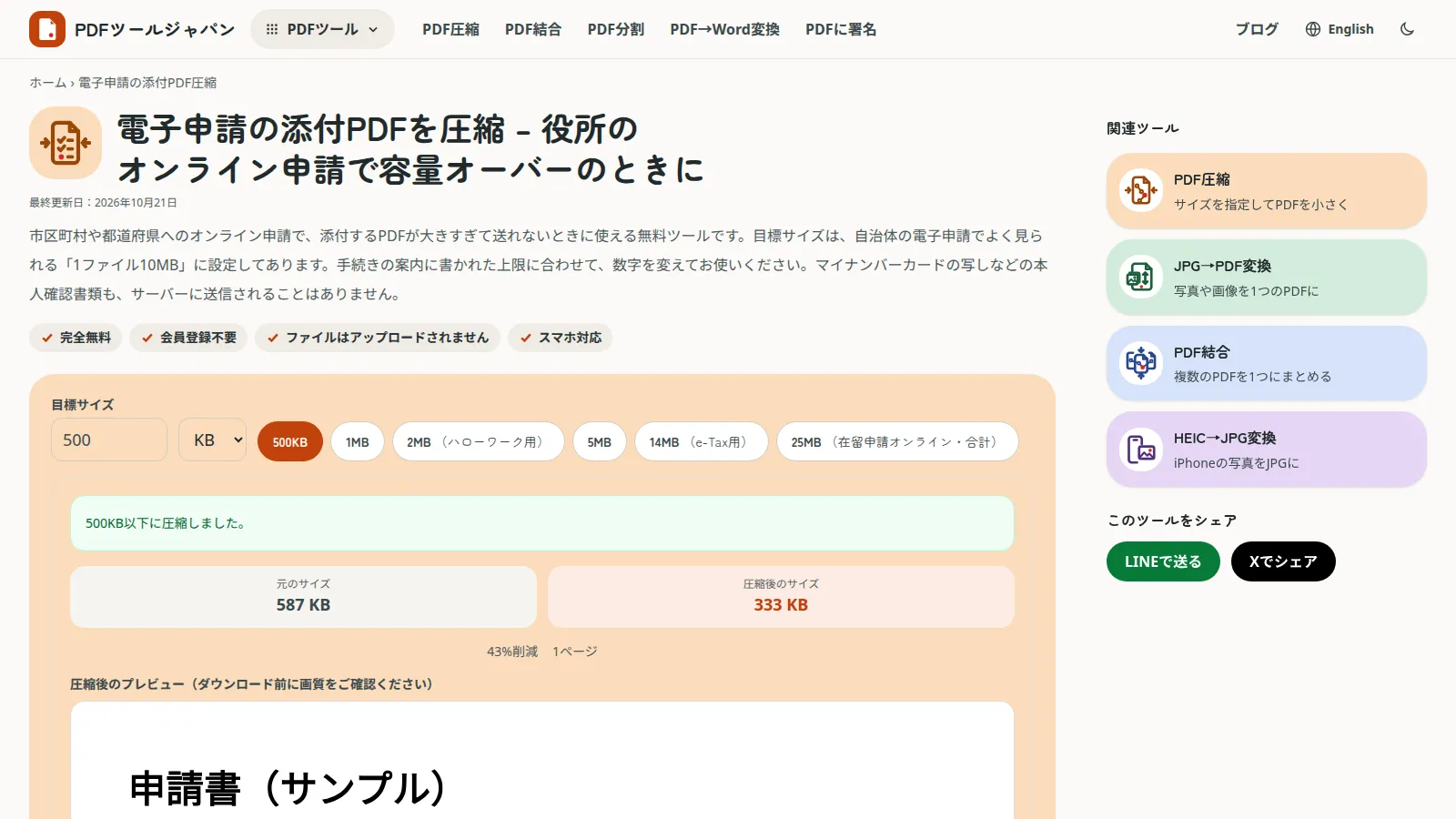
Screenshot: Compress PDF for Online Applications with a sample PDF loaded
The screenshot shows the Japanese version of the tool. The English version has the same buttons in English.

Myna Portal attachment requirements

The requirements depend on the system and procedure. If the page header shows the Mynachan icon, you’re using the older system.

Individual procedures may have other conditions, so always check the on-screen instructions too. The table below shows what the official guidance says.

Myna Portal attachment requirements (as of November 21, 2026)
Application typeSizeAccepted PDF and image formats
New application system (government procedures)7 MB or less in total, across all filesPDF, jpg, jpeg, png, gif, tif, tiff
Older system (local government procedures)You can’t attach files over 10 MBPDF, jpeg, jpg, png, gif, tiff, tif
Pension applicationsNot stated in the FAQ (check the application screen)PDF, jpg, jpeg, png
Use Compress PDF for Online ApplicationsFree, no sign-up. Your files stay on your device.

If your files are too large

Scanned documents and phone photos can pass the limit with just a few pages. The 7 MB limit in the new system is a total, not per file, so add up the sizes of everything you’re attaching.

  1. On Compress PDF for Online Applications, set the target size to fit the limit (for three files under 7 MB in total, 2 MB each, for example)
  2. Select your PDF
  3. Check in the preview that numbers and names are readable, then download

The tool never uploads your files; it processes them on your device.

If Myna Portal rejects a password-protected PDF

The new system can’t use password-protected files because it can’t check their contents. If you know the password, remove it with Unlock PDF before attaching the file.

If Myna Portal rejects an iPhone photo

iPhones may save photos in HEIC format, and Myna Portal’s FAQ says to convert them to a supported format. Convert them with HEIC to JPG, or put them into one PDF with JPG & PNG to PDF, before attaching them.

If a PDF causes a reception error on a pension application

On pension applications, an attached PDF can cause a reception error (受付エラー). Myna Portal’s FAQ says to change the PDF to a JPG, JPEG or PNG file, for example with a screenshot or camera, and apply again.

PDF to JPG turns each page of a PDF into a JPG without screenshots. Check that the text is readable before attaching the images.

If a file name causes an error

In the new system, two files in the same application can’t share a name. Names must be 108 characters or fewer and can’t contain unsupported characters. If several files have the same name, such as scan.pdf, rename them to something like juminhyo.pdf and tax-certificate.pdf.

Before you attach

  • Numbers, names and face photos are clearly readable
  • The files meet the conditions on the application screen (type, size, number of files)
  • No two files have the same name

Requirements can change. If something still fails, follow the error message on the application screen and the procedure’s instructions.

Frequently asked questions

Q. What is Myna Portal’s attachment size limit?

A. There’s no single limit. Official guidance says 7 MB or less in total across all files in the new system, and the older system doesn’t accept files over 10 MB (as of November 21, 2026). Check the application screen too.

Q. Can I attach a password-protected PDF?

A. Not in the new system. Remove the password first.

Q. Can I attach iPhone HEIC photos as they are?

A. HEIC isn’t on the list of supported formats, so convert them to JPG or PDF first.

Q. What if my PDF causes a reception error?

A. For pension applications, Myna Portal’s FAQ says to change the PDF to JPG, JPEG or PNG and apply again.

Q. Are my ID documents sent to a server when I compress them?

A. Not with our tools. The tool processes files on your device and never sends them to a server.